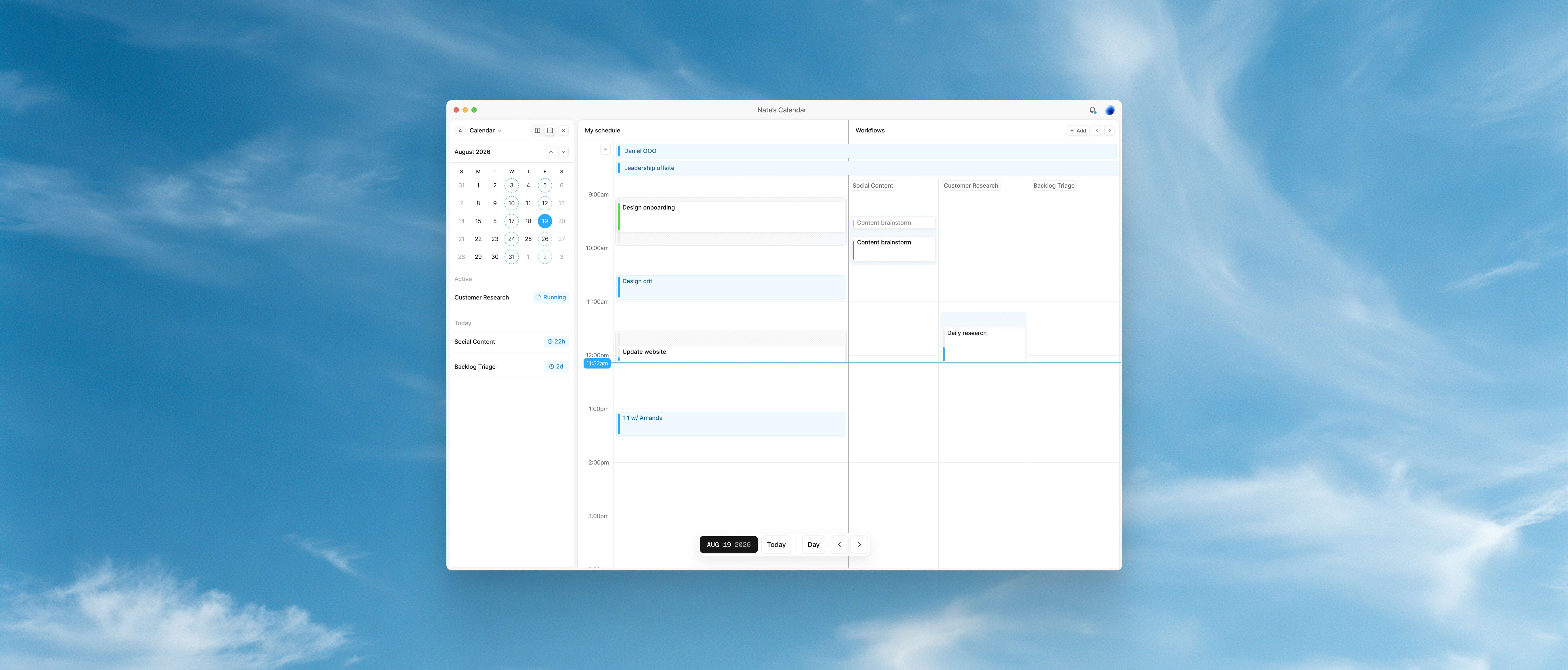

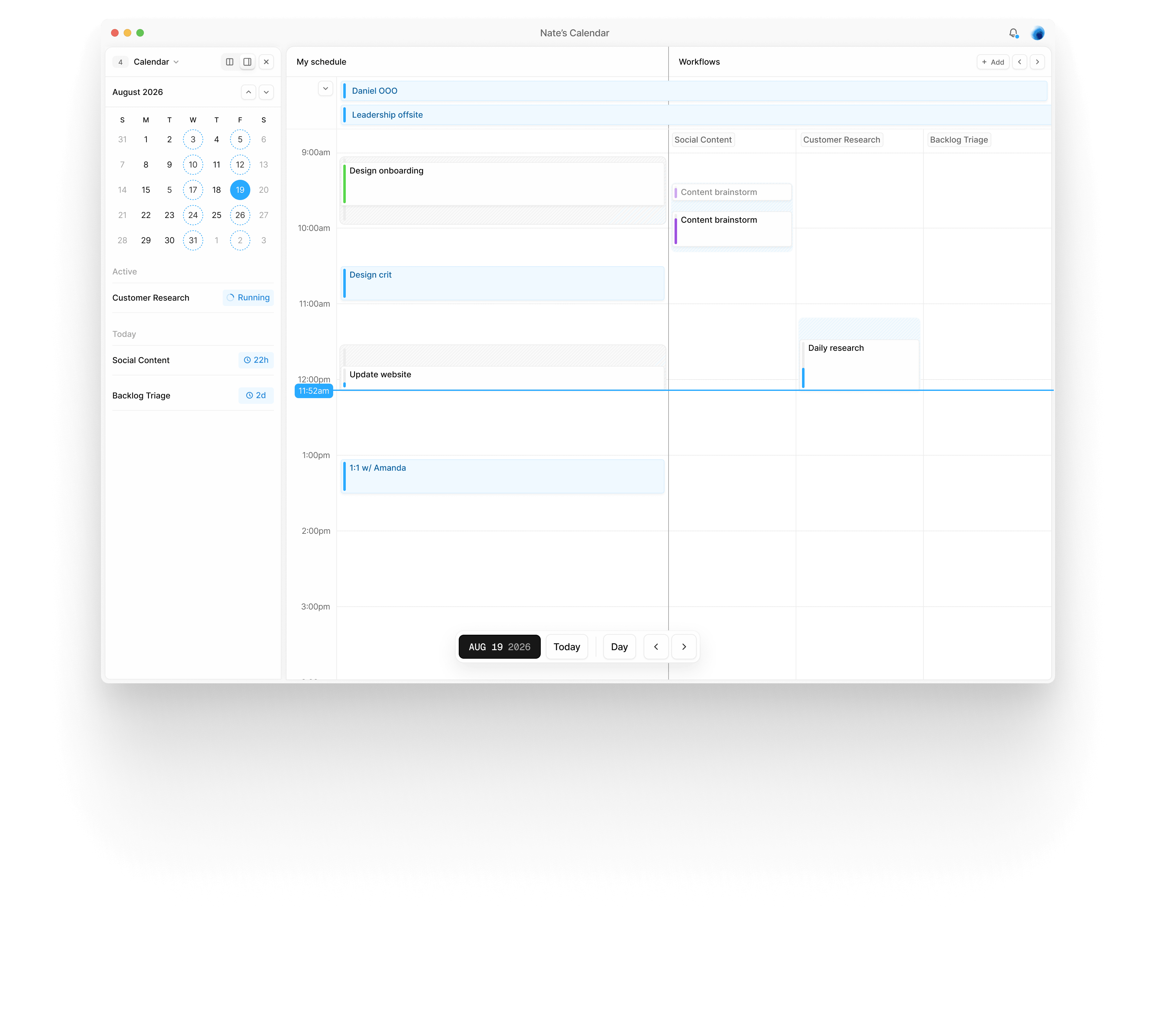
Fabric started with a simple observation. We spend the majority of our working lives inside calendars and task lists, yet nearly every agentic workflow lives in a chat thread.
A chat thread is linear, synchronous, and single-tracked. Agent work is none of those things: it runs in parallel, on its own schedule, mostly while you're doing something else. And the calendar already handles exactly that shape of information. So I set out to build a calendar that doesn't just show you your work for the day, but works alongside you to create an interface for agents that fits the surface people already live in.
Fabric is a personal calendar that enables agents to work alongside you throughout your day. Your calendar visualizes when agents run and how they hand tasks to one another along a workflow chain.
Open an agentic task and you can watch the agents working on it live. They post comments and status updates the way a human collaborator would, and you can reply to a comment, approve a revision, or send work back to trigger the next step.
Workflows are built directly in Fabric through an agentic workflow builder. Your Fabric agent (the “orchestrator”) walks you through setting up your project: set a goal, design the agents, connect integrations, and set a schedule. The guided path exists to solve the blank canvas problem; describing what you want is easy, while architecting a multi-agent chain from an empty screen is not.
Once you're done, Fabric spins up worker agents with their own distinct identities. Each completes one step and passes the work to the next agent in the chain. The finished workflow is scheduled on your calendar as a recurring loop that runs on its own while you work.
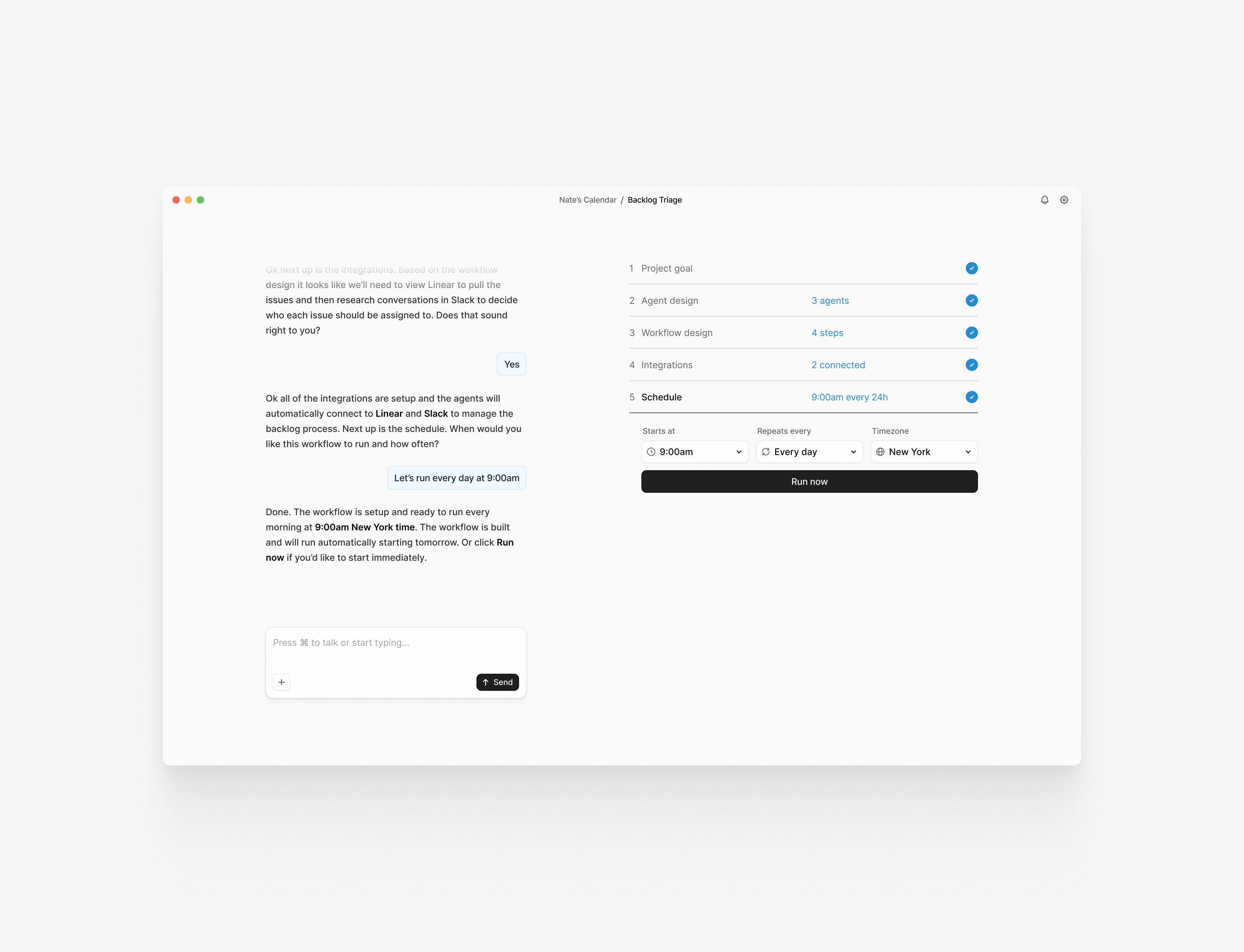
I built a set of components to enable agents to interact with you outside a chat thread. The goal was to make the calendar surface feel familiar, with agent activity surfacing quietly in the periphery.
Workflow Suggestion
Review & Approval
Aside from agentic workflows, I also felt that a unified task list and calendar has never truly been solved. So I decided to solve that UX challenge as a part of this app. My solution was a modular interface with two interchangeable sidebars that enable you to open a task list or a kanban (or both) in a collapsed and expanded view. This unique interface enables you to customize your view to your liking and adapt it to your workflow.
Furthermore, I broke the concept of tasks into two separate entities: scheduled segments and worked segments. This allows you to drag a task onto your calendar to schedule a block (or multiple blocks) when you plan to work on that task.
Changing the status of a task to in progress begins tracking the actual worked segment as an overlay on top of the plan. This enables you to compare your plan vs actual and understand how productive your day was.
Skills Utilized
- Product Strategy
- Positioning
- Brand Design
- Logo Design
- Content Design
- Website Design
- User Flows
- Prototyping
- UX Design
- Software Development


